Plans & Billing
Loggistics has two plans you can subscribe to directly — Single User and Multi User — both with the full chain-of-custody and USRW compliance toolset, differing only in seat count and a handful of reporting features for teams that answer to a board, city council, or grant funder. A third plan, Data Archive, is available as a read-only downgrade for organizations pausing between projects — see Data Archive plan below.
Choosing a plan
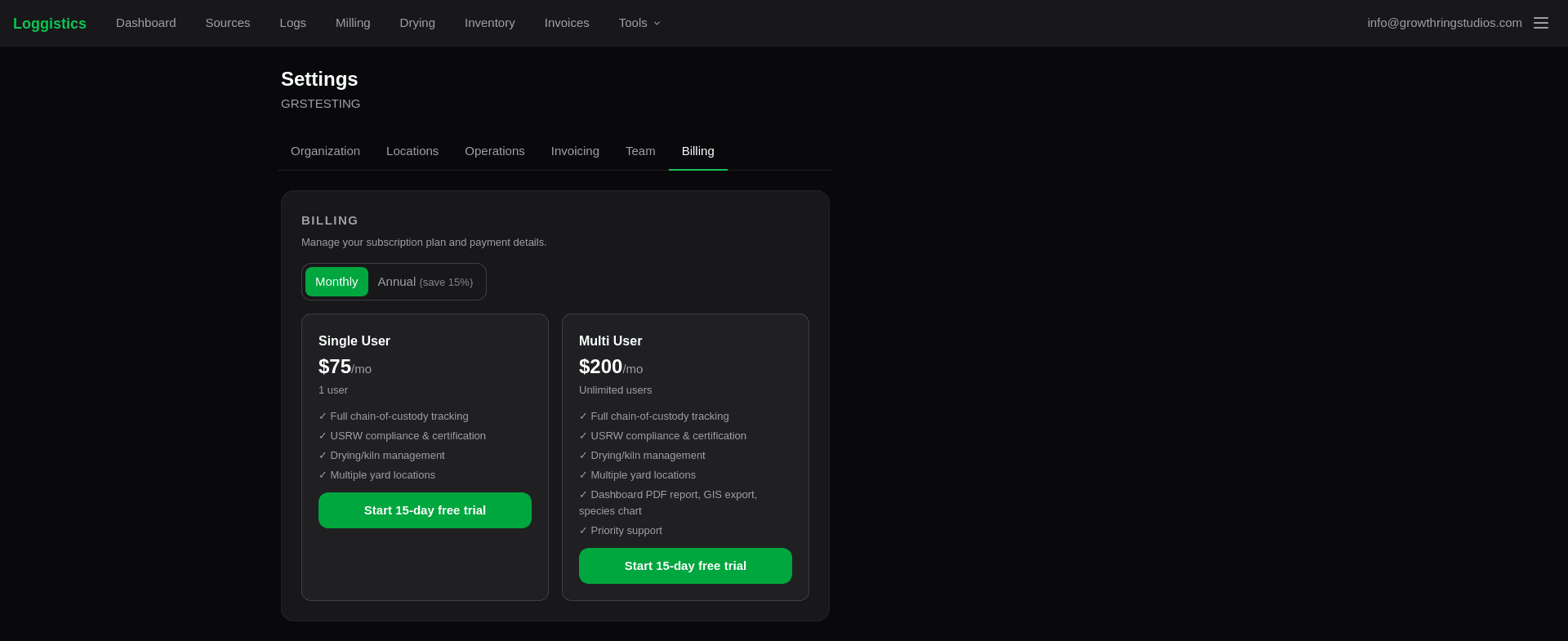
| Single User | Multi User | |
|---|---|---|
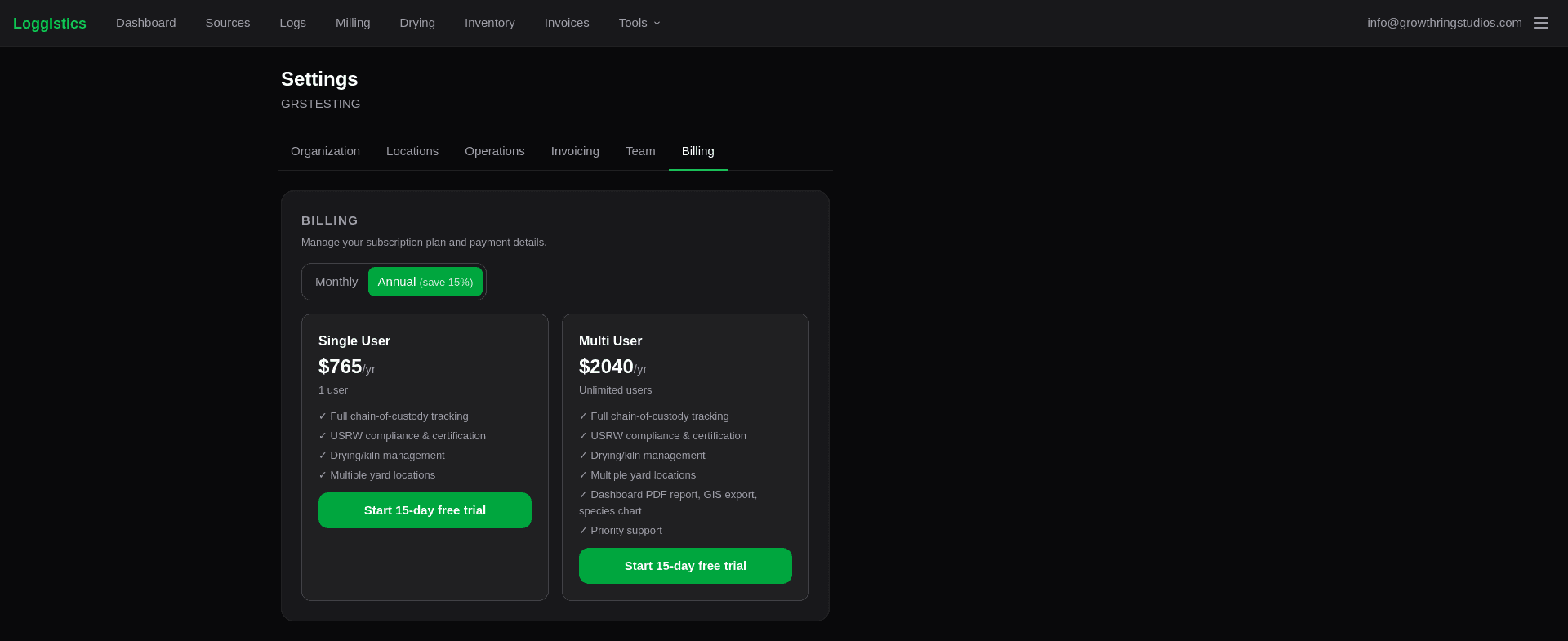
| Price | $75/mo or $765/yr (save 15%) | $200/mo or $2,040/yr (save 15%) |
| Users | 1 | Unlimited |
| Source → log → milling → drying → inventory → transport tracking | ✓ | ✓ |
| USRW §2.x compliance scoring & certification | ✓ | ✓ |
| Drying/kiln charge management | ✓ | ✓ |
| Multiple yard/site locations | ✓ | ✓ |
| Invoicing, print tags, public QR pages | ✓ | ✓ |
| Dashboard stakeholder PDF report | — | ✓ |
| GIS CSV export | — | ✓ |
| Species yield chart | — | ✓ |
| Team invites (add teammates) | — | ✓ |
| Priority support | — | ✓ |
Single User fits an independent sawyer or small operation working solo. Multi User fits a program or municipal operation with staff who need their own logins, plus stakeholder-facing reports for boards, city councils, or grant funders.
Every plan starts with a 15-day free trial. A card is required to start the trial, and it’s charged automatically when the trial ends — there’s no separate “activate” step.
Choosing a plan during signup
New accounts must choose a plan and complete checkout before using the rest of the app:
Create your account
Sign in with Google, Microsoft, or an email address, then name your organization.
Choose a plan
You’ll land on a plan picker showing Single User and Multi User side by side, with a Monthly/Annual toggle. Pick a plan and click Start 15-day free trial.
Enter payment details
This redirects to Stripe’s secure checkout page. Enter a card — you won’t be charged until the trial ends in 15 days.
You’re in
After checkout, you’re taken straight to the dashboard. The plan you picked is active immediately as a trial.
Managing billing
Go to Settings → Billing to:
- See your current plan, trial countdown (or renewal date once the trial ends), and payment status
- Change Plan — switch between Single User and Multi User, or between monthly and annual billing, at any time. This takes effect immediately with a prorated charge or credit for the difference — no need to cancel and re-subscribe.
- Manage Billing — opens Stripe’s secure billing portal (in a new tab) to update your card, download past invoices, or cancel your subscription.
If a payment fails, you’ll see a banner at the top of the app prompting you to update your card. Existing data and access are not affected while this is being resolved — nothing is locked or deleted.
Only the organization owner — the person who created the account — can change plans or open the billing portal. Other team members will see the current plan but not these controls.
Data Archive plan
Not actively working on a project but don’t want to lose access to your existing records? Data Archive is a read-only plan at $20/mo or $204/yr (save 15%) that keeps everything you’ve already recorded fully viewable and exportable, without paying full price for a seat you’re not using.
What still works:
- Viewing every existing source, log, board, and milling session
- CSV, PDF, and chain-of-custody downloads
- View access for every team member already on the org — Data Archive isn’t limited by seat count
What’s turned off:
- Creating new sources, logs, boards, or milling sessions
- Editing any existing record
While Data Archive is active, every page shows a Read-only — Data Archive plan banner with a link back to upgrade. If you follow a direct link to a create or edit page, you’ll see the same read-only notice in place of the form.
Data Archive is not offered at signup — it’s only available as a downgrade from an existing Single User or Multi User subscription, from Settings → Billing → Change Plan. Switch back to Single or Multi User from the same screen whenever you’re ready to add or edit records again.
Inviting your team (Multi User only)
Go to Settings → Team to add teammates to your organization.
Send an invite
Enter a teammate’s email address and click Send invite. They’ll get an email with a link to join.
They accept
The invite link takes them to a page where they either create a new account (if they’re new to Loggistics) or sign in with an existing account. Either way, they land in your organization — not a new one of their own.
Manage the team
The Members list shows everyone in your organization. The Pending Invites list shows invites that haven’t been accepted yet — each can be revoked, and invites that pass their 7-day expiry are marked Expired so you know to resend.
A person can only belong to one organization at a time. If you try to invite someone who’s already part of another organization, you’ll see an error — they’d need to leave that organization first.
Team invites are available on the Multi User plan only, since Single User is capped at one seat by design. If you’re on Single User and need to add a teammate, switch to Multi User first from Settings → Billing → Change Plan.
Any team member — not just the owner — can currently send and revoke invites. The only account-level distinction today is billing: as noted above, only the owner can change the plan or open the billing portal.