Sharing & QR Codes
Every source, log, and board in Loggistics has a public-facing page that anyone can view without logging in. These pages are the buyer-facing side of your chain of custody.
Public links
Each record has a unique public link that looks like:
loggistics.app/view/b/mK9xPqR2jN7vBtYcL4wA3   ← board
loggistics.app/view/l/aB3nRx7qKp2mWzY1cV8sE   ← log
loggistics.app/view/s/cD5tHy9wMf4kQeR6nX2uJ   ← source
The random token at the end is different from the human-readable ID (ASH-007-B04). The public token is what goes on QR codes and tags — it keeps the URL shareable without exposing your internal inventory structure.
To share a link, open the record and use the Share button. On mobile it opens the native share sheet; on desktop it copies the link to your clipboard.
What buyers see
A public board page shows:
- Species and common name
- Dimensions (thickness × width × length)
- Grade
- The log it came from (with a link to the log’s public page)
- The source removal record — where the tree came from, when it was removed, and why
No login required. No Loggistics account needed.
Public pages are read-only. Buyers can view provenance information but cannot access your inventory, pricing, or any other internal data.
Print tags
Loggistics generates print-ready PDF tags for logs and boards. Tags contain a QR code that links directly to the record’s public page, plus the human-readable ID, species, and key dimensions. Two label formats are supported:
| Format | Size | Avery Stock | Best for |
|---|---|---|---|
| Square label | 2” × 2” | Avery 64510 | Log end-grain tagging |
| Strip label | 1” × 3” | Avery 94224 | Board end-grain tagging, forestry tags |
Both formats are waterproof and UV resistant — rated to survive green wood moisture, rain, and outdoor yard handling.
Single-item tags
To print a tag for one log or board:
- Open the log or board detail page
- Click Print Tag — a tag printing page opens in a new tab
- Select a label format (square or strip)
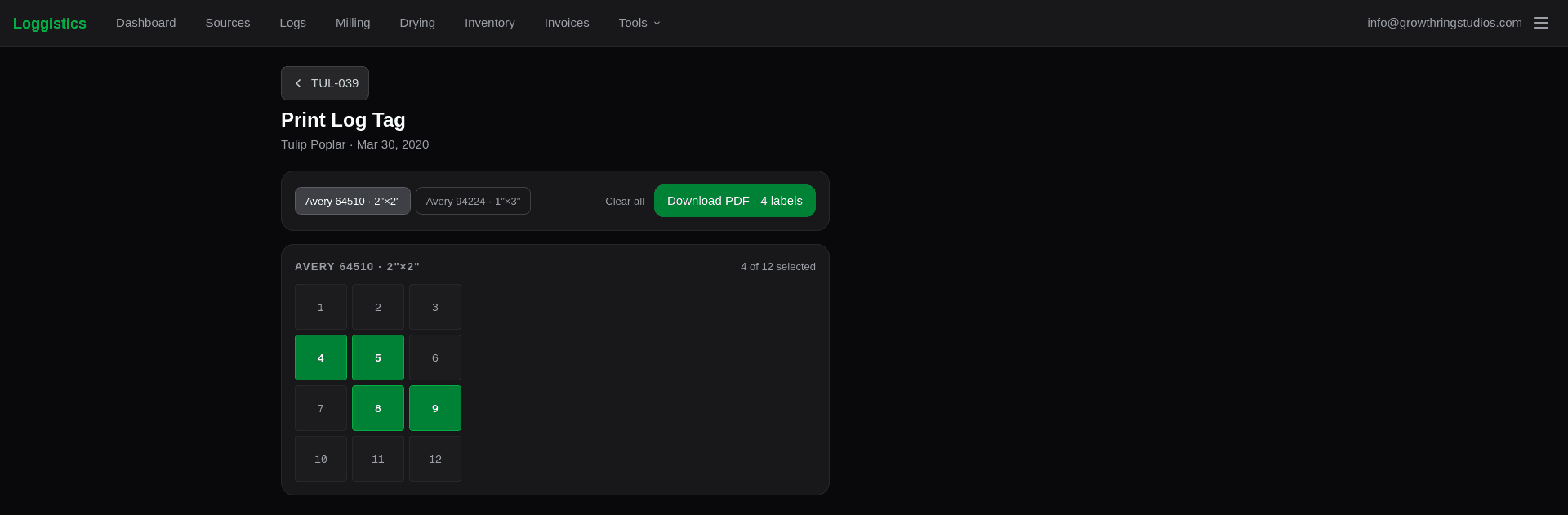
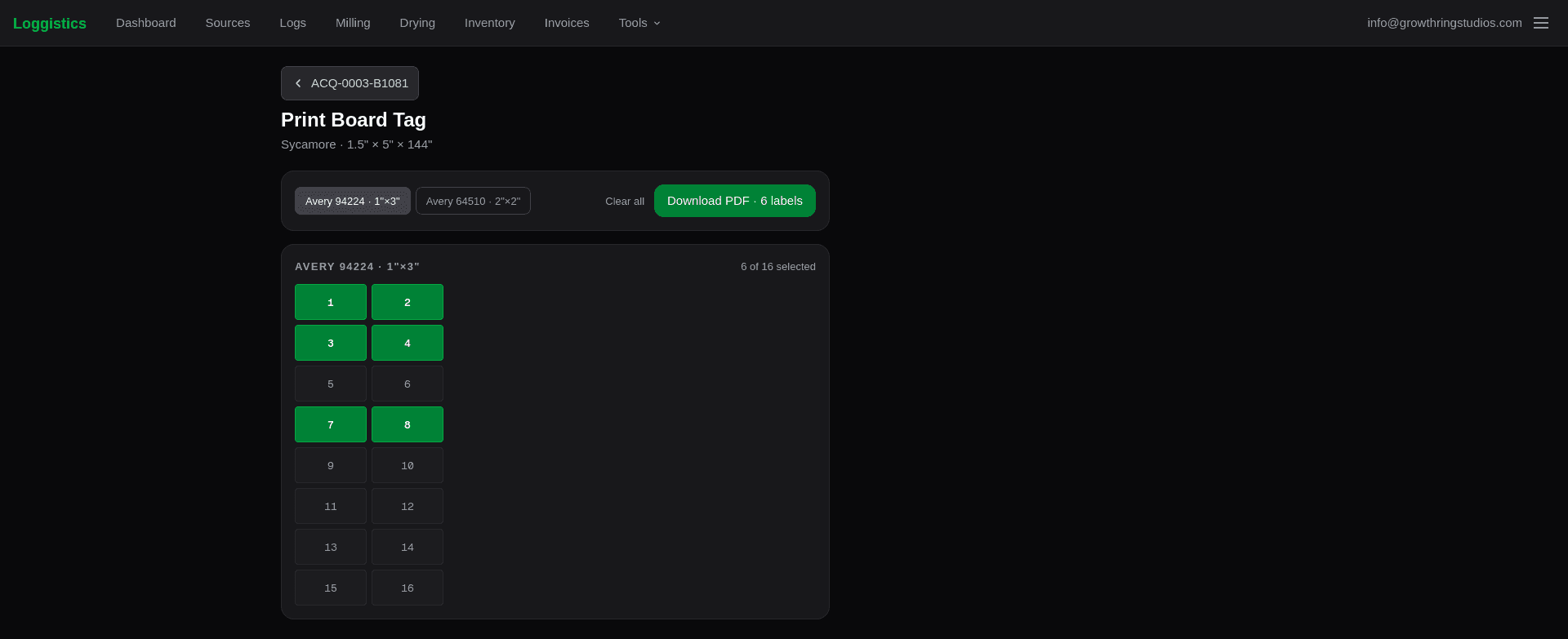
- Click individual slots in the grid to select which positions on the label sheet you want filled
- Click Download PDF to generate and save the file
The slot grid matches the physical layout of the label sheet: 3 columns × 4 rows for the Avery 64510, 2 columns × 8 rows for the Avery 94224. You can fill any combination of slots — useful when you are continuing onto a partially used sheet.
Bulk tags
To print tags for multiple logs or boards at once:
- Go to Logs or Inventory and click Print Tags in the page header
- Use the search bar to filter by number, species, or dimensions
- Check the items you want to include — or use Select all to grab everything visible
- Choose a label format and how many copies of each item to print
- Set a start position if needed (see below)
- Click Download PDF
Logs and boards are kept on separate sheets — you cannot mix them on one print.
Select all only applies to the items currently visible in the search filter. Search for “White Oak”, select all, then clear the search to add more species — each selection is cumulative.
Start position
The start position picker lets you choose which slot on the label sheet your first item prints in. This is useful when reusing a partially used sheet — rather than wasting the remaining blank labels, you set the start to the first empty slot and print from there.
The slot grid previews how the sheet will look:
- Gray slots — skipped (before the start position)
- Green slots — will be printed, numbered by item sequence
- Faint slots — unused positions after your last item on that page
Items that overflow the first page continue onto additional pages starting from slot 1.
Tagging workflow
A common workflow for a fresh milling session:
Mill and record
Complete the milling session and enter all boards before printing tags. The ID system requires boards to exist as records before tags can be generated.
Print log tags
Go to Logs, click Print Tags, and select the logs from this session. Use the 2”×2” square format for end-grain log tags. Print onto Avery 64510 waterproof labels.
Print board tags
Go to Inventory, click Print Tags, and filter or search for the boards from this session. Use the 1”×3” strip format for end-grain board tags. Print onto Avery 94224 labels.
Attach and scan
Staple or stick tags to the end grain of each log and board. Anyone with a smartphone can scan the QR code to see the full provenance record.
Sharing a log or source
You can also share the public page for a log or source directly — useful when:
- A buyer wants to see the full log before selecting boards
- You are showing a municipality the documentation for a tree removal they coordinated
- You want to share provenance information before a board has been individually tagged
The log’s public page links to all its products, so a buyer can navigate from the log to any individual board.
Privacy and access
Public links are accessible to anyone with the URL. They are not indexed by search engines by default, but treat them as semi-public — any link you share can be forwarded.
If you need to restrict access to a record, do not share its public link. The record remains in your private inventory; public pages are only discoverable through the link itself.